What AI can and cannot do
The differences between chat AI, AI agents and automation, why AI makes mistakes and how to guard against them, and which decisions should stay with people.

How the three tools differ
| What it does | Limits | |
|---|---|---|
| Chat AI | Answers questions and writes content | Does not know your company’s data and does not operate your company’s systems on its own |
| Automation | Runs according to set rules, such as writing data from A to B each day and sending a notification. Fast and stable | Cannot deal with situations it was not set up for |
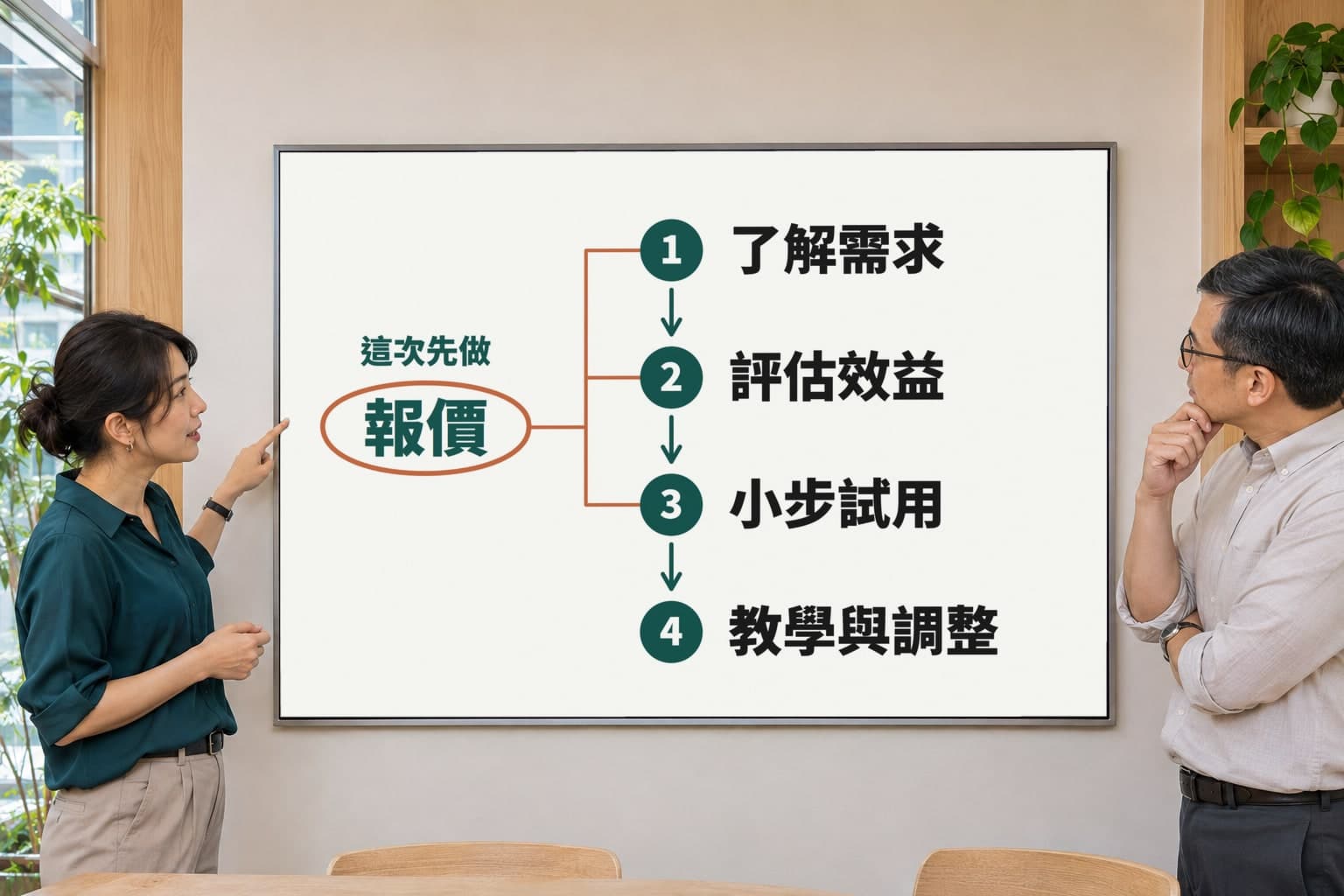
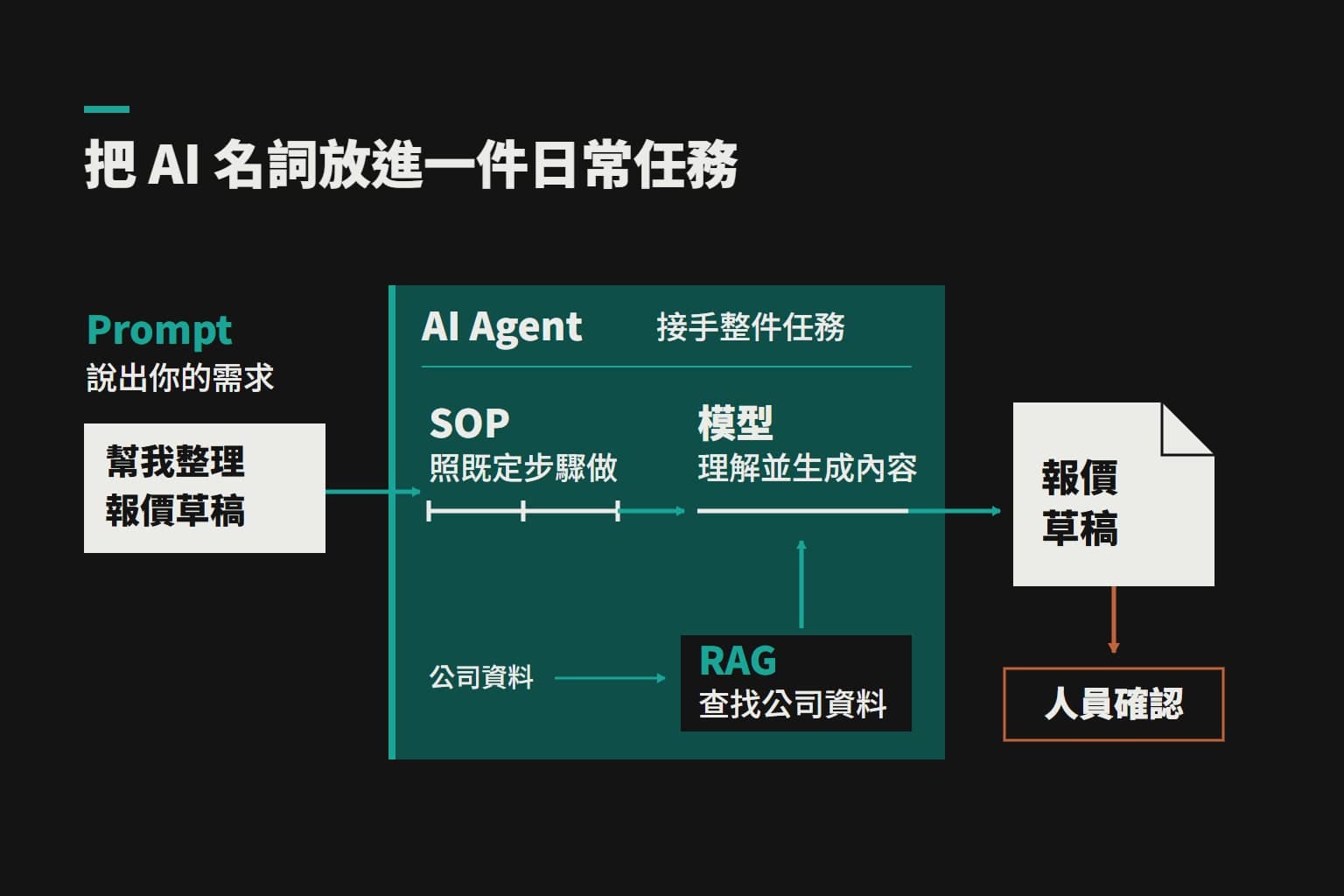
| AI agent | Looks up data, calculates and uses tools on its own. Asked to “prepare a quote for Chenguang Design”, it checks the client and past quotes and prepares the document | The prepared document goes to a person to confirm |
Most work is a mixture: automation for the parts with fixed rules, and AI only for the parts that require understanding content and making judgements. This combination is usually the cheapest and the most stable.
When automation is enough

Ordinary automation is usually enough
- The rules can be written out one by one, with almost no exceptions
- Such as sending the previous day’s order list each day
- Such as writing form submissions to a spreadsheet
- Such as sending a reminder three days before a payment date
AI is more likely to be needed
- The content must be understood before the work can be done
- Such as customers phrasing questions in different ways
- Such as receipts in varying formats
- Such as pulling key points out of long emails
Our expense claims system is one example. Not using AI where it is not needed turns out to be both more accurate and cheaper:
- SystemReads the QR code on the e-invoice, giving accurate data at no model cost
- AIFills in only the shop and line items it cannot read
What a knowledge base does
A knowledge base is the company data provided to AI, such as catalogues, price lists, SOPs and frequently asked questions. A general model does not know your business hours or plan prices, and may produce answers that sound reasonable but are wrong. With a knowledge base, AI looks up the data before answering and replies based on it.
The quality of the knowledge base strongly affects the results. Specific content produces specific answers. If it holds only a few slogans, AI can only repeat the same content when pressed. For details, see the AI reception guide.
Why AI makes mistakes
AI infers the most plausible answer from what it has learned; it is not looking things up in an encyclopedia. When it does not know something, it sometimes produces an answer that sounds certain but is wrong. This is called AI hallucination. No current model can avoid it entirely, so the risk has to be reduced through design:
- Answer from company data, do not guess at anything the data does not contain, and pass those questions to a person
- Have the system calculate amounts and dates rather than AI
- Require a person to confirm every action that changes data or involves money
- Prepare a set of real questions and retest after every adjustment
These measures do not mean AI will not make mistakes. They mean mistakes can be caught and their causes traced.
Why amounts are not left to AI to calculate
AI’s arithmetic is unreliable, and errors are especially likely when adding up many items. Take quotes as an example:
- AIDecides what needs calculating
- SystemDoes the calculation
- DatabaseRecalculates when the quote is saved, even when AI has already drafted the amounts
Not found does not mean it does not exist
We have seen this in our own system. When a search left two characters out of a project name, AI answered that no record existed. On another occasion, in a query about the month’s contractor costs, one payment had been settled another way and was not in the income and expense records. AI left it out of the total, and the answer still looked perfectly normal. We have since changed the search method so that similar records are listed when nothing is found, and made AI aware that the same thing may be recorded in different places. Problems like these do not show up in a demo; they call for repeated testing with real questions.
Does AI get smarter on its own?
No. What was mentioned in a conversation will not necessarily be kept for next time. Improving the results usually requires adding correct data to the knowledge base, writing common errors into rules, or building a memory function. This is why maintenance after launch matters: AI’s performance improves mostly because people review the logs, find problems and fill in the data.
Reading photos and handwritten documents
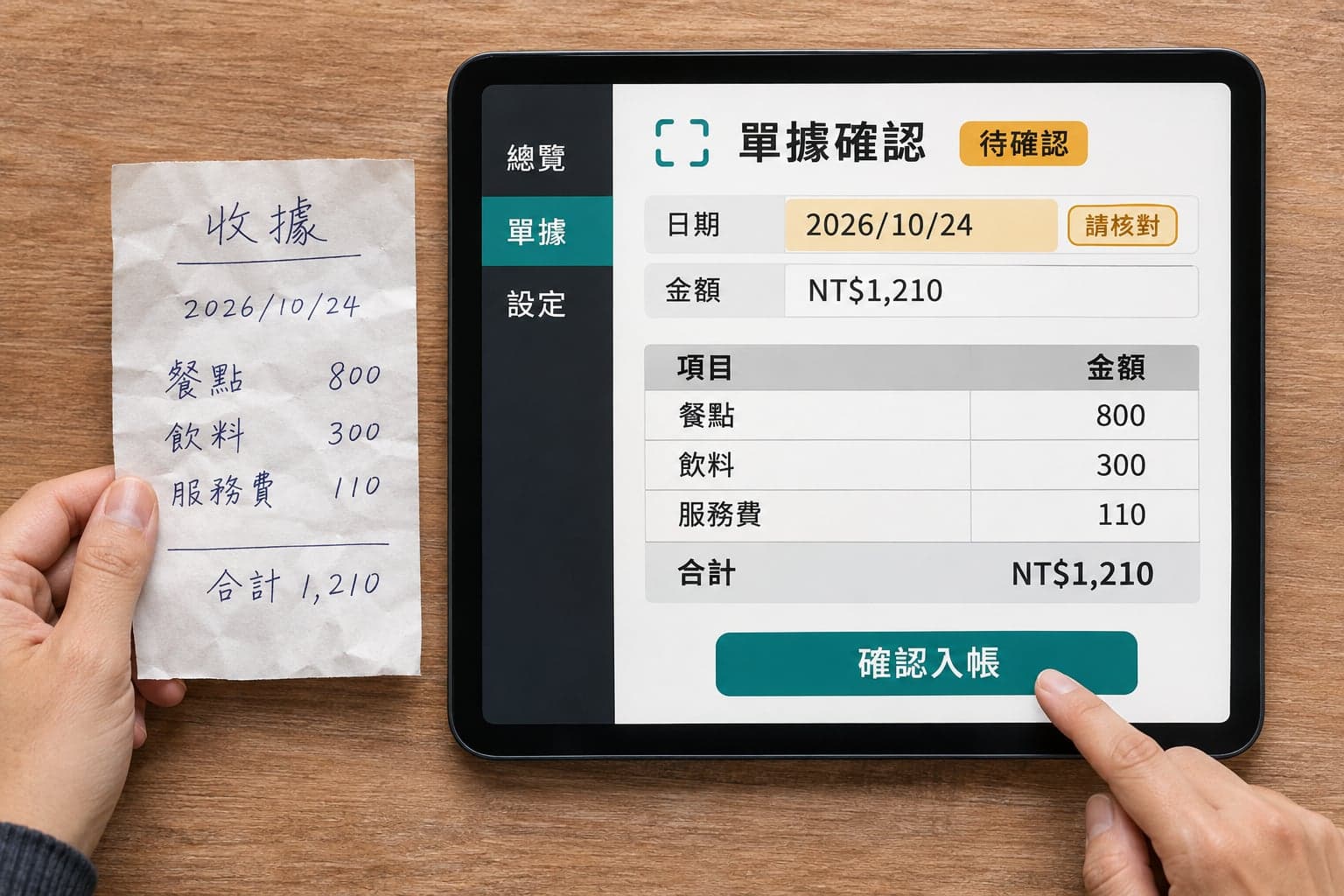
Clearly printed receipts and documents are usually read well, though complete accuracy cannot be guaranteed. Handwritten, blurred, glare-affected or damaged images are more likely to be misread. Our approach is as follows:
- AIReads the document and produces a confirmation card
- A personChecks and corrects the date and amount, then confirms
- SystemBooks it
If your documents are mostly handwritten, we recommend testing with real ones first.
How AI and people divide the work
Will AI replace employees?
More commonly, it replaces parts of the work rather than entire positions:
AI can handle first
- Repetitive data entry
- Checking
- Answering the same questions
Still requires people
- Judging special cases
- Managing customer relationships
- Taking responsibility for results
How the saved time is used is for the company to decide. If the short-term goal is to reduce headcount, also assess whether important experience would be lost with it, because AI’s ability to do the work well also depends on senior employees explaining clearly how it is done.
Which decisions should stay with people
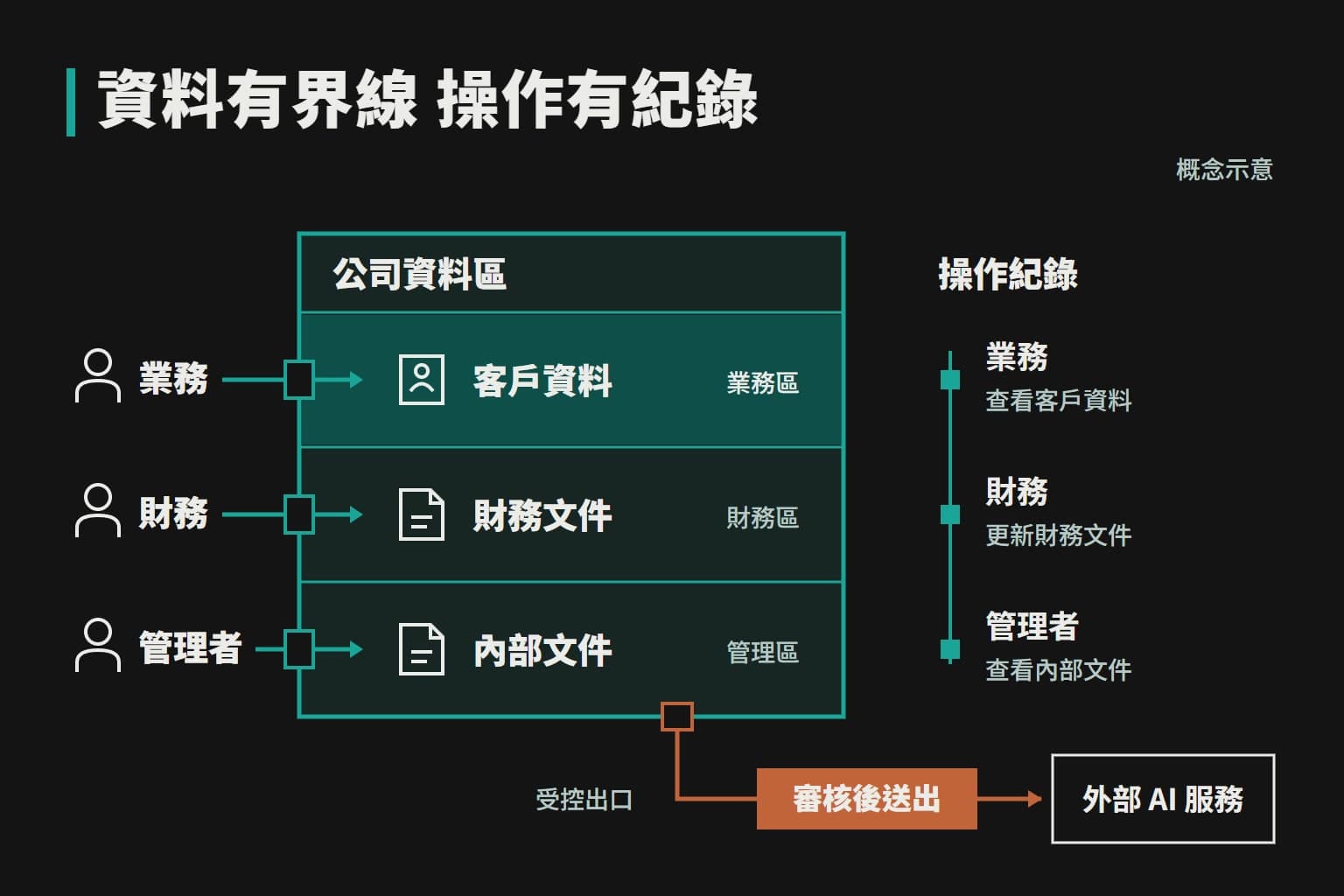
We recommend that people decide anything where a mistake would affect customers, money or legal responsibility, such as external quotes, payments, changes to important data, contract terms, the final handling of complaints, and judgements related to employees or health. AI can first look up the data, organize the options and flag the risks, and a person makes the final decision.
Does it still save time if a person must confirm?
Yes. Most of the time goes into finding data, checking numbers and entering them, not into making the decision. A quote might take half an hour to prepare, while checking a prepared one takes only a few minutes. Work that changes nothing, such as looking up data or organizing reports, needs no confirmation. Only actions that affect data, money or customers do.
Can non-technical people use it?
Yes. Employees simply make requests the way they normally speak, with no need to learn programming or prompting techniques. Managers do not need to understand the details of the models either, only how the work is done now and how much time they hope to save.
How well does it handle Traditional Chinese?
Mainstream models now handle Traditional Chinese quite well, but they may still use wording that is not customary in Taiwan or render specialist terms imprecisely. We write your company’s usual terms into the knowledge base and settings, and test and adjust with real questions.
Further reading
This article is general information, not legal, tax or financial advice. Actual timelines, costs and results depend on each company and on written agreement.